A look at Tickleaf, the minimalist to-do app with four views, plain-language quick add, repeating Loops and offline sync across web and Android. Free, with Plus at $29.42 a year.
Most to-do apps want to be your whole system. Projects inside projects, four levels of priority, tags, dashboards, streaks. Somewhere along the way, writing down "call the dentist" turned into a job of its own.
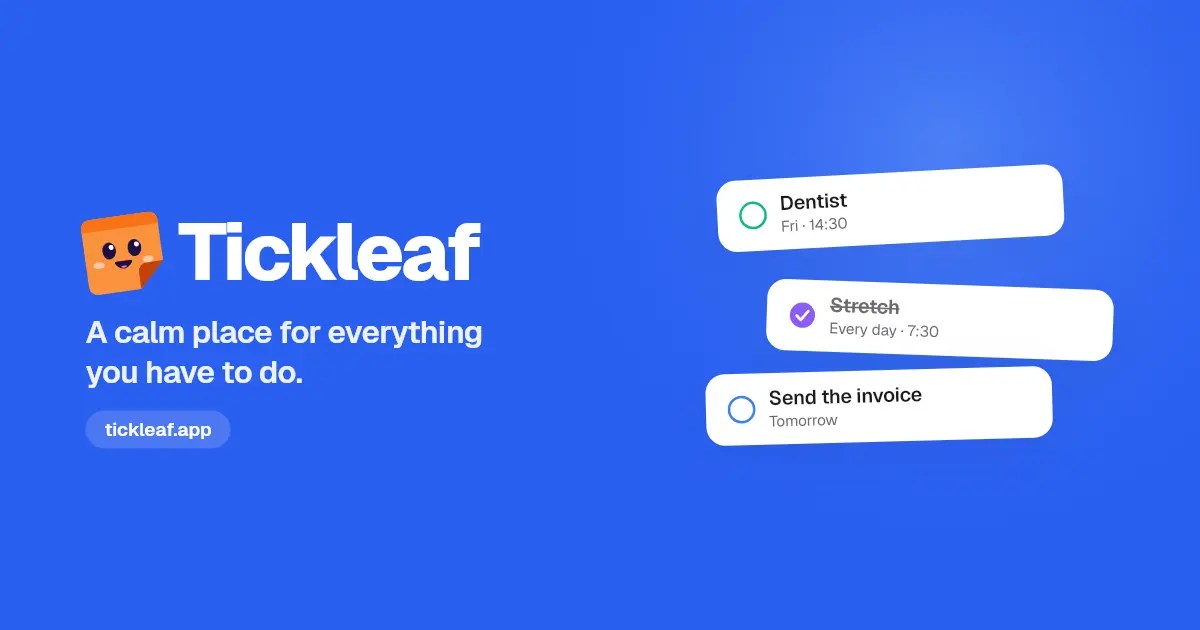
Tickleaf goes the other way. It calls itself "a calm place for everything you have to do": an inbox, a calendar and the things you repeat, and nothing else. You write it down, give it a day and tick it off.
TL;DR: Tickleaf is a minimalist to-do app with just four views: Inbox, Calendar, Loops and Archive. You add tasks by typing them the way you'd say them, it works offline, and it syncs across the web and Android on its own, with an iPhone app coming soon. Everything you need is free, and Tickleaf Plus adds widgets, your full archive and colour themes for $29.42 a year after a 14-day free trial.
Four views, and nothing else
Tickleaf's whole idea fits in one sentence from its homepage: everything you need to remember, and nothing you need to manage. Every task lives in one of four places:
- Inbox: everything lands here first. Undated things sit on top, then each day in order. Overdue tasks show gently in red, without shouting at you.
- Calendar: your tasks by day, week or month, so you can see what's coming and move things around.
- Loops: the things that come back, like stretching every morning or watering the plants every three days.
- Archive: everything you've finished, with a way to bring a task back if you need it.
That's the whole app. There's no setup to do and no system to learn before you can use it.
Quick add: type it the way you'd say it
The fastest part of Tickleaf is adding a task. There are no date pickers and no forms. You type the day, the time, how long it takes and a colour in plain words, and Tickleaf files it while you type.
For example, you can write things like:
tomorrow,friornext weekfor the dayat 14:30for the timefor 45mfor how long it takes#healthfor the colour
So "Dentist fri at 14:30 #health" lands on Friday at 2:30 PM in the health colour, without you touching a calendar. Tickleaf says your first task takes about four seconds.
Loops for the things that repeat
Some tasks never really end: taking out the bins, paying rent, a weekly review. Tickleaf calls these Loops.
A loop can repeat every day, every three days, every other Tuesday or on the first of the month. Close today's and watch the week fill in. It's a simple way to keep habits and chores visible without building a separate habit tracker.
What Tickleaf leaves out, on purpose
The most interesting part of Tickleaf is the list of things it chose not to build:
- Projects inside projects
- Four levels of priority
- Gantt charts
- Notifications about notifications
- A chat app
- Dashboards for your dashboards
Instead, it keeps a few small details done with care:
- ⌘K gets you anywhere: every view and every action is a keystroke away.
- Four colours, no more: work, personal, health and home. Enough to read your day at a glance, too few to fuss over.
- Install it like an app: add Tickleaf to your dock or home screen, with its own window and icon.
Everywhere you work, even offline
Tickleaf is built so the same list follows you between your desk and your phone:
- Works offline: everything lives on your device first. On a plane or in a tunnel it keeps working, and catches up later.
- Syncs on its own: tick a task off on your phone and it's ticked on your laptop. There's no refresh and no "sync now" button.
- No passwords: you sign in with a code sent to your email, so there's nothing to remember and nothing to leak.
Today Tickleaf runs on the web and on Android through Google Play, and the iPhone app is coming soon to the App Store.
Your data stays yours
Tickleaf is clear about privacy. There are no ads, nothing is sold and nothing is used to train anyone's AI. Your data is stored in the EU, and if you delete your account, everything goes on every device right away.
Pricing
Everything you need for your day is free, and it stays free.
| Free | Plus | |
|---|---|---|
| Price | $0, forever | $29.42 a year, or $3.84 a month, after a 14-day free trial |
| Inbox, Calendar, Loops and Archive | Yes | Yes |
| Open tasks and loops | Up to 2,000 tasks and 200 loops | Up to 2,000 tasks and 200 loops |
| Quick add with days, times and repeats | Yes | Yes |
| Sync across devices, works offline | Yes | Yes |
| Archive search | Last 90 days | Everything you've ever done |
| Widgets | No | Today and your loops on your home screen |
| Colour themes | No | Yes, in light and dark |
Finished tasks don't count towards the limits. Plus also gets new features first, and reminders and Google Calendar are on the way to Plus at no extra cost. You can cancel any time from Settings on the web and keep all your tasks.
See the full details on the Tickleaf pricing page.
Who Tickleaf is for
- People who've given up on complicated to-do apps. If you've set up a system and then stopped using it, Tickleaf's four views are the opposite of that.
- Anyone juggling work, home and health tasks. Four colours keep them apart without turning your list into a project plan.
- People who switch between laptop and phone. The same list, always in sync, even when you're offline.
- Keyboard users. Quick add and ⌘K mean you rarely need the mouse.
The bottom line
Tickleaf is a to-do app that knows what it isn't. Four views, plain-language quick add, loops for what repeats, and sync that just works make it a calm, fast way to keep track of your day. The free plan covers everything most people need, so it costs nothing to try.
Put it down, and pick up your day at tickleaf.app.


Sponsored: the team behind Tickleaf paid for this post. It was written with FoundrList's AI launch agent from their own details and reviewed by FoundrList before publishing. Editorial policy